Stop Double-Booking. Start Getting Organized.
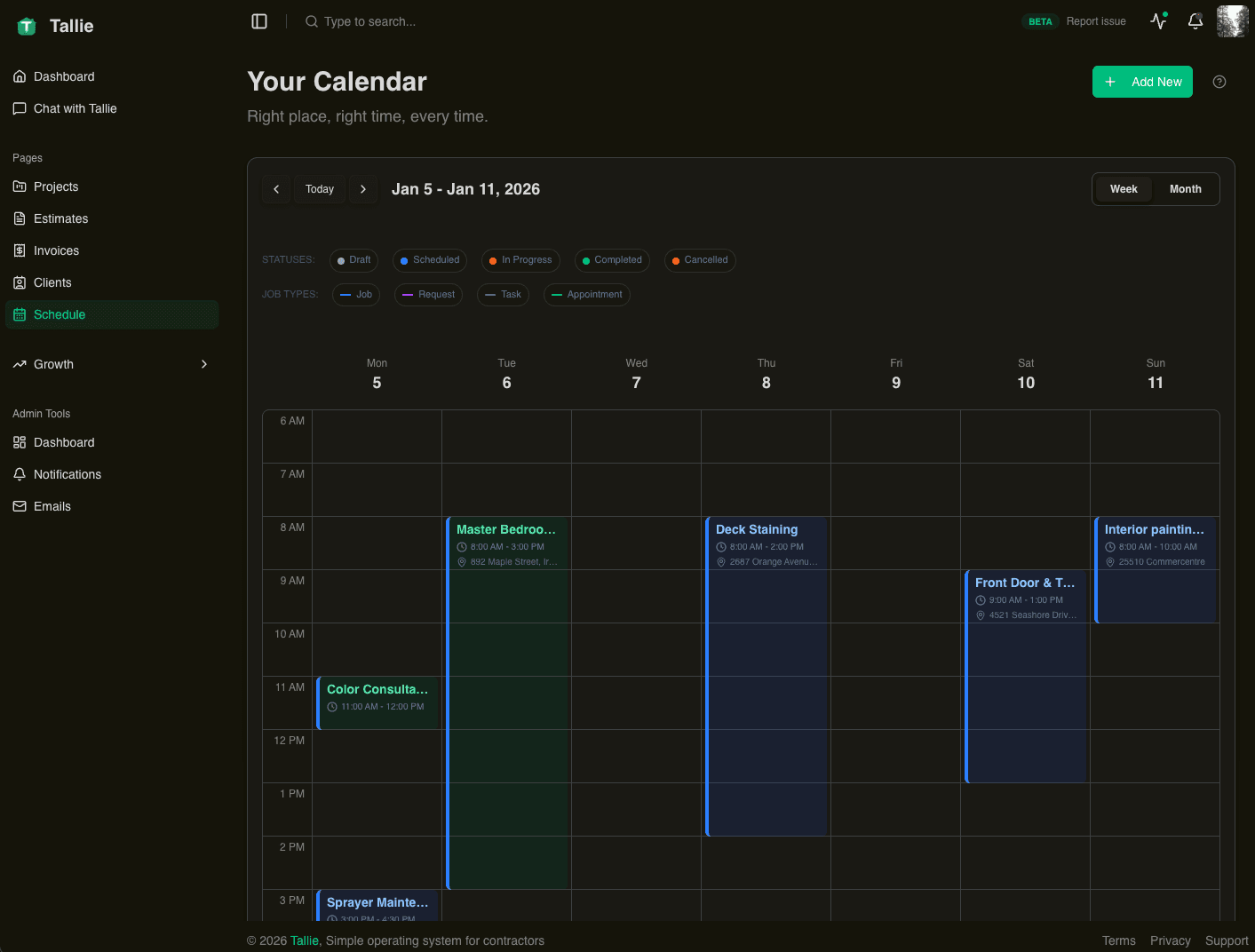
See your whole week at a glance. Drag-and-drop to reschedule, assign jobs to your team, and sync with Google Calendar. Simple scheduling that actually works.
How it works
Scheduling made simple
Visual Calendar
See your day, week, or month at a glance. Drag and drop to move jobs. Color-code by job type or status.
Lead Capture Form
Share a lead-capture form so customers can request a time and land straight in your pipeline.
On My Way Alerts
Tap "On My Way" when you head to a job and Tallie emails the customer your ETA. Fewer surprises, no phone tag.
Team Scheduling
Assign jobs to team members. Everyone sees their schedule in the app. You see the big picture.
Why it matters
Real benefits for your business
Not just features for features' sake. Every capability is designed to help you work faster and get paid sooner.
Keep Customers in the Loop
Send an "on my way" email with your ETA when you head to a job. Customers know exactly when to expect you.
Capture Requests Anytime
Share a lead-capture form so customers can request a time day or night—straight into your pipeline.
Never Overlap
The calendar shows conflicts before they happen. No more showing up to find another tech already there.
Route Planning
See your day's jobs on a map to plan your route.
FAQ
Questions about scheduling
Yes. Your Tallie jobs sync to a dedicated Google Calendar so they show up alongside your other calendars. Create a job in Tallie and it appears on that calendar automatically.
Ready to try scheduling?
Join the contractors building their business on Tallie. Start free — no credit card required.
Join the contractors building their business on Tallie. Start free — no credit card required.